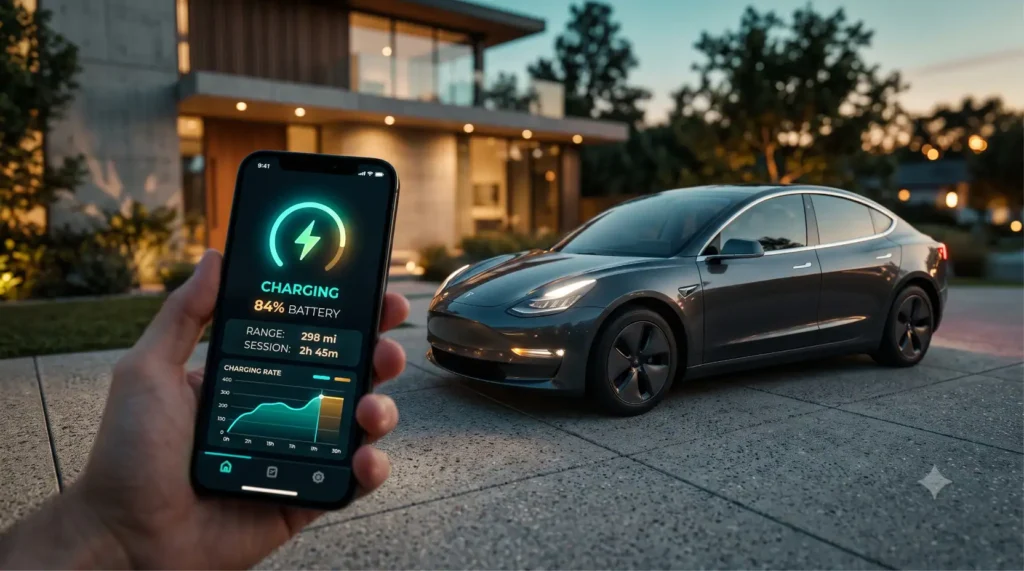
The official Tesla app is good. It locks the doors, preheats the cabin, shows your charge level, and lets you summon the car across a parking lot. For most people, most days, that’s enough. 🚗
But then you start wanting more. You want the car to warm up automatically when your morning alarm goes off. You want a glanceable battery percentage on your watch face. You want to actually see how your range has changed over two years of ownership instead of guessing. And that’s when you discover the official app quietly hits a ceiling.
That ceiling is exactly where a whole ecosystem of independent developers has set up shop. They’ve built tools for automation, watch faces, data logging, charging-cost math, and faster everyday access — the stuff Tesla either doesn’t do or doesn’t do well. If you’ve been hunting for the best third party Tesla app to fill those gaps, this guide breaks the whole landscape down by category so you can pick the right ones for how you actually drive.
⚡ The Short Answer
In a hurry? Here’s the lay of the land for Tesla owners who want more than the stock app:
- 🤖 Enhanced control & automation apps — for geofencing, scheduled commands, and “if this, then that” routines the official app can’t do.
- ⌨️ Smartwatch & widget apps — for glanceable battery, climate, and lock controls on your wrist or home screen.
- 📊 Data-logging & analytics apps — to track efficiency, charging history, and battery health over months and years.
- 💰 Charging-cost tracking apps — to see exactly what each session and each mile or kilometre really costs.
- 🔑 Key & access apps — for phone-as-key convenience and family sharing without juggling logins.
- 🔒 A privacy mindset — because most of these tools need access to your Tesla account, which has real implications.
That’s the toolkit. Everything below explains what each category adds and helps you land on the best third party Tesla app for your needs. 👇
A Quick Map of Third-Party Tesla App Categories
Before we dig in, here’s the landscape at a glance. Think of these as add-ons that each solve one specific itch the official app leaves unscratched.
| App Category | What It Adds | Free or Paid? |
|---|---|---|
| 🤖 Enhanced control / automation | Geofencing, scheduled & advanced commands, routines | Free tiers common; premium ~$5–10 / ₹400–800 per month |
| ⌨️ Smartwatch app | Battery, climate, lock/unlock on your wrist | Often ~$3–8 one-time or subscription / ₹250–700 |
| 🧩 Widget app | Glanceable battery & status on phone home screen | Frequently free; some premium upgrades |
| 📊 Data logging / analytics | Long-term efficiency, charging, and SoH trends | Free tiers + premium ~$5–12 / ₹400–1,000 per month |
| 💰 Charging-cost tracker | Cost per session, per mile/km, by tariff | Free to ~$4 / ₹350 per month |
Now let’s break each category down properly. 👇
Why Use a Third-Party Tesla App at All? (More Than the Official One)
Here’s the honest framing: Tesla’s app is built to cover the basics for the largest possible audience. It’s deliberately simple. That simplicity is a feature for newcomers and a frustration for power users.
The official app gives you a snapshot — battery now, climate now, location now. What it generally doesn’t give you is history, automation, or deep customization. There’s no “show me my efficiency trend since I bought the car.” There’s no “warm the cabin every weekday at 7:45 unless I’m on vacation.” 🤔
That’s the gap third-party developers fill. They tap into the same data and commands your official app uses, then build smarter layers on top: rules, charts, watch faces, and cost calculators. The best third party Tesla app for you isn’t a single product — it’s whichever tool closes the specific gap that’s been bugging you.
A good way to think about it: the official app is the steering wheel, and these tools are the aftermarket accessories. You don’t replace the car. You add the bits that make it fit your life. For a broader view of the apps every electric-car driver should consider, our roundup of the Best EV Apps Every Owner Should Download is a great companion read.
Enhanced Control & Automation Apps: Geofencing and Advanced Commands
This is where third-party tools really start to earn their keep. For a lot of owners, an automation tool ends up being the best third party Tesla app they install, because it lets the car react to things instead of waiting for you to tap a button.
The headline feature is usually geofencing — drawing a virtual circle around your home, office, or gym so the car does something automatically when it enters or leaves. Pull into your driveway and the charge port opens. Leave for work and the app logs the trip. Arrive at the office and climate kicks on at lunch. 📍
The other big draw is advanced and scheduled commands. Want the cabin preheated at a precise time, but only on workdays? Want to chain actions together — unlock, vent windows, start climate — with one tap? Want a routine that runs only when the battery is above a certain level? These are the kinds of “if this, then that” rules the stock app simply doesn’t expose.
A few things these apps commonly add:
- ⏰ Time-based routines — precise schedules that respect weekdays, weekends, and holidays.
- 📍 Location triggers — actions fired by arriving at or leaving a geofenced spot.
- 🔗 Command chaining — multiple actions bundled into a single shortcut.
- 🌡️ Conditional logic — “only if battery > 50%” or “only if it’s below 5°C / 41°F outside.”
One realistic caveat: automation depends on a steady connection to your car, and commands can occasionally lag or miss if the vehicle is asleep or has weak signal. Treat these as conveniences, not guarantees — don’t build a routine you’d be stranded without.
Smartwatch & Widget Apps: Tesla Control at a Glance
Sometimes you don’t want to open an app at all. You just want to glance and go. That’s the entire pitch behind smartwatch and widget apps. ⌨️
Smartwatch apps put core controls on your wrist — battery percentage, lock/unlock, climate on/off, and sometimes a frunk or trunk release. The appeal is obvious in cold mornings or busy hands moments: tap your watch to start warming the car while you’re still finding your keys, no phone needed.
Widget apps do something similar on your phone’s home screen or lock screen. Instead of opening an app and waiting for it to wake the car, you get a small tile showing your charge level and maybe a quick action or two. For people who check their battery five times a day, that saved tap adds up fast. 🔋
What to look for in this category:
- 👀 At-a-glance battery and range without opening anything.
- 🔘 One-tap actions for the controls you use most (climate, lock, charge).
- 🔄 Refresh behavior — how often it updates, and whether it drains your watch or phone battery doing so.
- 🎨 Customization — pick which stats and buttons actually matter to you.
A small reality check: complications and widgets pull live data, which means they wake your car and sip its 12V/low-voltage battery. Most well-built apps manage this sensibly, but if you’re seeing odd vampire drain, an aggressive widget refresh setting is a common culprit worth checking.
Data-Logging & Analytics Apps: Track Efficiency and Battery Health Over Time
If you’re the kind of owner who loves charts, this is your category. Data-logging apps quietly record your car’s stats over time and turn them into trends you can actually learn from. 📊
The official app shows you now. A good logger shows you the story. How many kWh did you use last month? What’s your real-world efficiency in summer versus winter? How much does your range estimate drift on long highway runs? And the big one for many owners — how is your battery state of health (SoH) holding up after thousands of charge cycles?
This is genuinely useful for a few reasons. First, it helps you spot problems early — a sudden efficiency drop or unexpected range loss is easier to catch when you’ve got a baseline. Second, it’s gold when you eventually sell, because documented battery health is a real selling point. Third, it just makes you a smarter driver. 🔋
Typical things these apps track:
- 📈 Efficiency trends — Wh/mi or Wh/km over weeks and months.
- 🔌 Charging history — every session, how much you added, and how fast.
- 🔋 Battery health estimates — degradation curves derived from your usage data.
- 🛣️ Trip logs — distance, energy, and cost per drive, handy for mileage records.
Keep your expectations grounded, though. Battery-health figures from any third-party tool are estimates based on the data your car reports, not a lab-grade diagnosis. They’re great for spotting trends; they’re not a substitute for a proper service inspection if something seems genuinely wrong.
Charging-Cost Tracking Apps: Know What Every Mile Really Costs
“EVs are cheaper to run” is true — but vague. Charging-cost apps replace the hand-waving with actual numbers, and once you see them, you can’t unsee them. 💰
These tools log your charging sessions and apply your electricity rate to tell you what each session, each mile, and each month genuinely costs. The smarter ones handle the messy real-world stuff: different rates for home versus public charging, time-of-use tariffs that change by the hour, and the gap between cheap overnight rates and pricey daytime fast-charging.
Why this matters more than people think:
- 🏠 Home vs public split — your driveway might cost a fraction of a Supercharger session, and seeing the difference changes behavior.
- ⏱️ Time-of-use awareness — if your utility charges less overnight, an app makes that saving visible and trackable.
- 📋 Expense records — invaluable if you claim mileage for work or just want a clean annual cost.
- 📉 Cost per mile/km — the single number that lets you honestly compare against your old petrol car.
In the US, a home charge might run you roughly $0.10–0.20 per kWh depending on your state and time of day, while public DC fast charging often lands meaningfully higher. In India, home charging commonly falls in the ₹8–12 per kWh range depending on your state and slab, with public fast charging priced above that. A tracking app turns those abstract rates into a clear monthly bill you can actually plan around.
If monitoring your car’s stats and costs from your phone is the broader goal, our deep dive on How to Monitor Your EV From Your Phone walks through the whole setup beyond just Tesla.
The Tesla API and How Third-Party Apps Connect (Including Recent Access Changes)
Here’s the part that explains how all of this even works — and why it occasionally changes. 🔌
Third-party Tesla apps don’t have a secret backdoor into your car. They connect through Tesla’s account system, essentially logging in with your permission to read data and send the same commands the official app sends. That’s why almost every one of these tools asks you to authorize access to your Tesla account during setup.
For years, much of this ran on an unofficial connection that developers reverse-engineered. More recently, Tesla has been steering the ecosystem toward an official, sanctioned developer program with formal sign-in and permission controls. The practical upshot for owners is a more standardized “sign in with Tesla” style flow — you approve specific permissions rather than handing over a raw password.
What this means in everyday terms:
- 🔐 Authorize, don’t hand over passwords — modern, well-behaved apps use Tesla’s official sign-in so your credentials stay with Tesla.
- 🔁 Things can break or change — when Tesla updates its access rules, some apps need to update too, and a tool might briefly stop working.
- 🧩 Permissions are increasingly granular — you may be able to grant read-only access without full command control, depending on the app.
The honest takeaway: this is a moving target. An app that works flawlessly today might need a re-authorization next month after a platform change. It’s not usually a red flag — it’s just the nature of building on someone else’s API. Pick tools from active, responsive developers who keep up with these shifts.
Safety & Privacy: What You’re Really Granting Access To
Let’s be very clear about this, because it matters. When you connect a third-party app to your Tesla account, you’re granting a stranger’s software the ability to see — and often control — your car. 🔒
That can include your vehicle’s location, your driving and charging history, your home and work addresses (inferred from where you park), and the power to lock, unlock, and in some cases drive-related commands. That’s a lot of trust to extend, so extend it carefully.
A sensible checklist before you connect anything:
- ✅ Use official sign-in flows — prefer apps that authenticate through Tesla’s own “sign in with Tesla” rather than asking for your raw password.
- ✅ Read what permissions you’re granting — does it really need command control, or just read access for logging?
- ✅ Check the developer’s reputation — active updates, a real privacy policy, and a community of users are good signs.
- ✅ Know where your data lives — some loggers store your history on their servers; understand that before you opt in.
- ✅ Revoke what you don’t use — Tesla lets you remove third-party access from your account settings, so prune apps you’ve abandoned.
None of this means third-party apps are dangerous. The good ones are run by trustworthy developers who take privacy seriously. It just means granting account access has real privacy implications, and a thirty-second review before you tap “authorize” is well worth it. When in doubt, start with read-only tools before you hand over full control. 🛡️
India Tesla-Owner Context: A Newer, Fast-Moving Scene
Tesla’s presence in India is still relatively new compared to the US and Europe, and that shapes which third-party apps make sense. 🇮🇳
In the US, the Tesla ecosystem is mature — huge Supercharger coverage, years of community-built tools, and developers who’ve been refining their apps for ages. In India, ownership is newer, the Supercharger and public fast-charging footprint is still expanding, and the local third-party community is earlier in its journey.
For Indian owners, that changes the priorities a bit:
- 💰 Charging-cost apps matter a lot — with state electricity slabs and a mix of home and public charging, knowing your cost per km in ₹ is genuinely useful.
- 📊 Data logging builds confidence — in a market where long-term EV resale data is still thin, your own documented battery health is valuable.
- 🤖 Automation translates anywhere — geofencing and scheduled climate work the same in Mumbai as in Manhattan.
- 🌐 Watch for region support — a few apps are tuned to US networks and tariffs, so check that the cost and charging features actually fit Indian conditions.
The good news is that most of these tools connect through the same Tesla account system worldwide, so the core control and logging features generally work regardless of where you drive. Just lean toward apps that are flexible about currency, tariffs, and charging networks rather than ones hardwired for one market.
📈 2026: The Tesla App Ecosystem Right Now
The third-party Tesla scene in 2026 is healthier and more legitimate than it’s ever been — but it’s also more formalized. 🚀
The big shift is the move toward sanctioned access. As Tesla pushes developers onto its official program with proper sign-in and permission scopes, the ecosystem is shedding some of its old “hacky” reputation. That’s good for owners: cleaner authorization, clearer privacy boundaries, and apps that are less likely to silently break.
A few trends worth knowing:
- 🔐 Official sign-in is becoming the norm — fewer apps ask for your password directly, more route through Tesla’s authorization flow.
- ⌨️ Watch and widget tools keep maturing — glanceable control is now a polished experience rather than a novelty.
- 📊 Analytics is getting deeper — battery-health tracking and efficiency dashboards are more sophisticated each year.
- 🌍 Global reach is widening — as Tesla expands into newer markets like India, more apps are adding multi-currency and multi-network support.
The flip side is that platform changes can ripple through the ecosystem overnight. The smart move is to favor actively maintained apps with responsive developers — they’re the ones who adapt fastest when Tesla shifts the rules.
✅ 5 Tips for Choosing Third-Party Tesla Apps
- 🎯 Pick by gap, not by hype. Identify the one thing the official app doesn’t do for you — automation, watch control, logging, cost — and choose a tool for that. Don’t install five overlapping apps.
- 🔐 Prefer official sign-in. The best third party Tesla app authenticates through Tesla’s own authorization flow, keeping your password out of third-party hands. That alone filters out a lot of risk.
- 🔍 Vet the developer. Active updates, a clear privacy policy, and a real user community matter more than a flashy screenshot. A well-maintained app survives platform changes.
- 🆓 Start with free tiers. Most categories have a free version. Test the workflow before paying ~$5–10 / ₹400–800 a month for premium you might not need.
- 🧹 Revoke access you don’t use. Audit your Tesla account’s connected apps every few months and remove anything you’ve stopped using. Less access granted means less risk.
🛒 Shop This Post
Third-party apps pair beautifully with the right hardware. Here are three add-ons that genuinely complement a Tesla setup:
- 🔌 OBD/diagnostic dongle — pairs with data-logging and battery-health apps to surface deeper vehicle stats over time. A small one-time spend (~$20–40 / ₹1,800–3,500) for serious data nerds.
- ⚡ Smart home charger — a Wi-Fi-connected wall charger that plays nicely with scheduling and cost-tracking apps, so your overnight rates and automation actually line up.
- 🧰 Tesla accessory kit — phone mounts, cable organizers, and trunk gear that make daily ownership smoother alongside your software toolkit.
💬 Disclosure: This post contains affiliate links. If you buy through them, we may earn a small commission at no extra cost to you. We only recommend gear we’d genuinely suggest to a fellow EV owner. 🙏
🎯 Quick Quiz
Test yourself — which third-party Tesla app category fits this owner?
Scenario: Priya wants her Model Y to warm up automatically every weekday morning at 7:30, but never on weekends, and only if the battery is above 40%. Which category should she look at?
A. Smartwatch app
B. Charging-cost tracker
C. Enhanced control & automation app
D. Data-logging app
(Answer: C — automation apps with time-based routines and conditional logic are exactly what handle “weekdays only, above 40%” rules. 🤖)
📋 Your Third-Party Tesla App Checklist
Before you connect a new app, run through this:
- [ ] 🎯 I know the specific gap this app fills (automation / watch / logging / cost / access).
- [ ] 🔐 It uses Tesla’s official sign-in rather than asking for my password.
- [ ] 🔍 I checked the developer’s reputation, updates, and privacy policy.
- [ ] 🛡️ I reviewed exactly what permissions I’m granting (read-only vs full control).
- [ ] 🌍 It supports my region’s currency, tariffs, and charging networks (key for India).
- [ ] 🆓 I tested the free tier before paying for premium.
- [ ] 🧹 I scheduled myself a reminder to audit connected apps every few months.
🤔 People Also Ask
Is there a better app than the official Tesla app?
“Better” depends on what you need. The official app wins on simplicity and reliability for core controls. But the best third party Tesla app for automation, watch faces, data logging, or cost tracking will outclass it on those specific jobs. Most owners run the official app plus one or two specialized tools rather than replacing it outright. 📱
Are third-party Tesla apps safe to use?
The reputable ones are, but safety hinges on the developer. Stick to apps that use Tesla’s official sign-in, have a clear privacy policy, and are actively maintained. Remember that connecting any app grants real access to your car and data, so vet before you authorize and revoke anything you stop using. 🔒
Do third-party Tesla apps cost money?
Many have free tiers that cover the essentials, with premium features behind a subscription — typically around $5–10 / ₹400–800 per month, or sometimes a small one-time purchase. Start free, confirm the workflow fits, then upgrade only if you’ll actually use the extra features. 💰
How do third-party apps connect to my Tesla?
They authenticate through Tesla’s account system — essentially signing in with your permission to read data and send the same commands the official app uses. Modern apps increasingly use Tesla’s sanctioned developer program with official sign-in and granular permissions instead of asking for your raw password. 🔌
Will third-party apps drain my Tesla’s battery?
They can, mildly. Apps that frequently wake the car to refresh widgets or watch complications sip the low-voltage battery. Well-built tools manage this sensibly, but if you notice unusual vampire drain, check for an overly aggressive refresh setting. 🔋
Can I use third-party Tesla apps in India?
Yes — most connect through the same global Tesla account system, so core control and logging features generally work. Just favor apps that flexibly support Indian electricity tariffs in ₹ and local charging networks, since some tools are tuned mainly for US conditions. 🇮🇳
🚀 The Bottom Line
The official Tesla app is your foundation — keep it. But it was never meant to be the whole story. The moment you want automation, glanceable control, real long-term data, or honest charging-cost math, an independent developer has almost certainly built the tool you’re missing. 🚗
Choose by gap, not by hype. Pick apps that use official sign-in, vet the developer, and remember that every connection you authorize is real access to your car and your data — so prune what you don’t use. Whether you’re in Texas or Tamil Nadu, the best third party Tesla app is simply the one that quietly makes your ownership smoother.
👉 Ready to build your toolkit? Start with our roundup of the Best EV Apps Every Owner Should Download, then learn the full setup in How to Monitor Your EV From Your Phone. Your home screen — and your watch — will thank you. ⚡