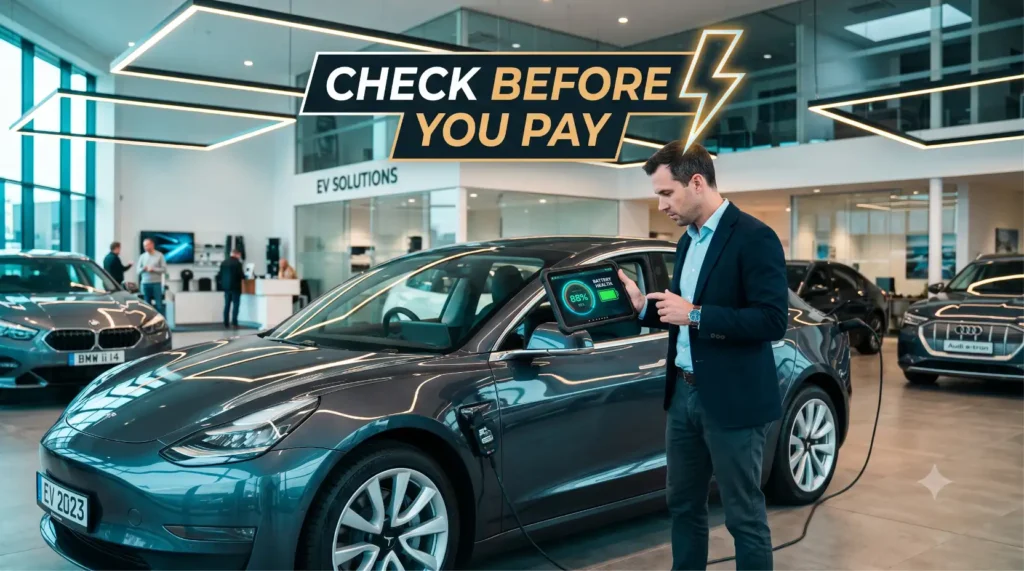
Here’s a small, slightly uncomfortable truth about buying a used EV: the seller’s smile is not a diagnostic instrument. 😅
The dashboard will tell you a happy story. The listing will use words like “mint” and “barely used.” But the part of the car that’s worth half its value — the battery pack — keeps its real secrets locked away in the Battery Management System, where no salesperson’s pitch can reach. The only way to read those secrets is to plug something in and ask the car directly.
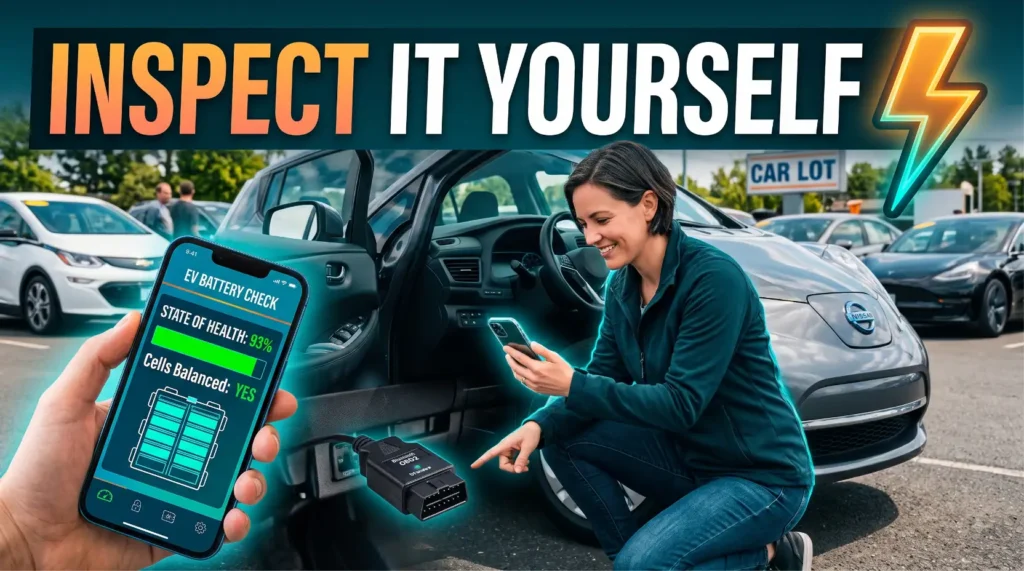
That’s exactly what the right gear lets you do. With a cheap dongle and the right app, you can pull a real State of Health number, peek at cell voltages, and catch fault codes before you ever hand over money. So let’s talk about the best OBD tool inspect used EV buyers can actually use without a mechanic’s bay. 👇
⚡ The Short Answer
If you want to use an OBD tool inspect used EV style — quickly, cheaply, and at the viewing — here’s the gist:
- 🔌 A budget Bluetooth OBD2 dongle + app is the entry point — cheap, pocketable, good for fault codes and basic live data.
- 📱 A brand/model-specific EV app (paired with that dongle) is what actually unlocks the real SoH number.
- 🧰 A mid-range standalone scanner adds a screen and stability, no phone juggling required.
- 🏭 Pro-grade scan tools are overkill for most buyers — built for workshops, not driveways.
- ⚠️ Not every EV exposes SoH over generic OBD2, so app compatibility matters more than the dongle itself.
For most buyers, the winning combo is a $20–$60 (₹1,500–₹5,000) Bluetooth dongle paired with a model-specific EV app. 🎯
📊 OBD Tool Types — Compared
Not all OBD tools read the same things, and that difference is everything when you’re inspecting a battery. Here’s how the main archetypes stack up. 👇
| Tool Type | Reads SoH / Cells / BMS | Ease of Use | Price Band | Best For |
|---|---|---|---|---|
| 🔌 Budget Bluetooth dongle + generic app | Fault codes ✅, SoH sometimes ⚠️, cells rarely | Very easy | ~$15–$40 / ₹1,200–₹3,500 | First-pass checks, codes, live data |
| 📱 Brand/model-specific EV app + dongle | SoH ✅, cells ✅, BMS ✅ (model-dependent) | Easy | ~$10–$50 app / ₹800–₹4,000 | The real DIY SoH read |
| 🧰 Mid-range standalone scanner | Codes ✅, some live data, SoH limited | Easy (own screen) | ~$60–$200 / ₹5,000–₹16,000 | No-phone, repeat inspections |
| 🏭 Pro-grade scan tool | SoH ✅, cells ✅, BMS ✅, deep systems ✅ | Steep learning curve | ~$300–$2,000+ / ₹25,000–₹1,60,000+ | Workshops, dealers, flippers |
Notice the pattern: the cheapest dongle is great at codes but iffy at SoH, while the magic happens when you pair a basic dongle with a smart, model-specific app. That’s the sweet spot. 😎
🤔 What an OBD Tool Can (and Can’t) Tell You About a Used EV
Before you spend a rupee or a dollar, set your expectations. An OBD tool is a window into the car’s brain — but it’s not an X-ray machine, and it doesn’t replace common sense. 🧠
On the “can” side, the right OBD tool inspect used EV setup can read live data the dashboard hides: individual cell voltages, pack temperature, charge/discharge behavior, and — with the right app — an actual State of Health percentage. It can also surface stored fault codes from the BMS and other modules, which is gold for spotting a quietly sick pack.
On the “can’t” side, here’s the honest part. ⚠️ An OBD tool can’t predict the future, can’t tell you how the previous owner felt about fast charging, and on some EVs it can’t read SoH at all over a generic connection. It reports the car’s own self-assessment — which is usually accurate, but only as good as the app translating it.
So treat the tool as a truth-detector, not a crystal ball. It confirms or kills the seller’s story; it doesn’t write your whole buying decision for you. ✅
💡 New to this? Pair this guide with our Used EV Buying Guide: What to Check Before You Pay so the OBD scan slots into a full inspection.
🔌 The Budget Bluetooth Dongle + App Combo
This is where almost everyone should start, and for good reason: it’s cheap, tiny, and shockingly capable for the price. 🔌
A budget Bluetooth OBD2 dongle is a little plastic plug — usually under $40 or ₹3,500 — that slots into the car’s diagnostic port and talks to your phone wirelessly. Pair it with a generic OBD app and you can instantly read stored fault codes, clear-text descriptions, and a stream of live data while the car sits there.
For a used EV, the immediate wins are the fault codes. A BMS error, a charging-system flag, or a thermal-management warning will show up here even if the dashboard light has been (suspiciously) reset. That alone can save you from a five-figure mistake. 🚩
The catch? Generic apps speak a universal language, and EV battery SoH isn’t always part of it. You’ll reliably get codes and basic live values, but a true State of Health number usually needs a model-specific app layered on top. More on that next. 👇
A practical tip: buy a dongle known for EV compatibility and stable Bluetooth, not the absolute cheapest one on the shelf. A flaky $8 clone that drops connection mid-scan is no bargain. 💸
📱 Brand & Model-Specific Apps That Read True SoH
Here’s the part that separates tire-kickers from smart buyers. The dongle is just the doorway — the app is what reads the room. 📱
Generic OBD apps are built for any car on Earth, so they default to the lowest common denominator. Model-specific EV apps, by contrast, are coded to speak a particular carmaker’s secret dialect. They know exactly which hidden parameter holds the SoH value for that platform, and they translate it into a clean percentage.
These apps come in a few flavors. Some are community-built apps focused on a single brand’s EVs. Others are broader EV-diagnostic apps with add-on packs for specific models. A handful of carmakers even publish their own companion apps that surface battery condition directly.
The result is what you actually came for: a real SoH percentage, individual cell voltage balance, pack temperature, and sometimes lifetime charge statistics. For a used buy, cell balance is underrated — a pack where one cell sags far below the rest is an early warning of trouble. 🔋
The honest caveat: coverage varies wildly by make, model, and year. A model-specific app might give you everything on one EV and almost nothing on another. Always check that the app explicitly supports the exact car you’re inspecting before you rely on it. ⚠️
🔋 Want the deeper battery playbook? See our companion guide, How to Check Battery Health on a Used EV, for SoH benchmarks and range tests.
🧰 Mid-Range Standalone Scanners
What if you hate juggling a phone, a flaky Bluetooth link, and a finicky app while a seller hovers over your shoulder? That’s exactly who mid-range standalone scanners are for. 🧰
A standalone scanner is a handheld unit with its own screen, buttons, and built-in software — no phone required. They typically run $60–$200 (₹5,000–₹16,000) and are the comfortable middle ground between a bare dongle and a workshop machine.
For used-EV inspection, their strengths are stability and simplicity. You plug in, the menu loads, you read codes and live data on a dedicated display that doesn’t disconnect when your phone rings. For someone inspecting several cars — or anyone who just dislikes app fiddling — that reliability is worth the extra cost.
The trade-off is depth. Many mid-range units are built around the universal OBD2 standard, which means EV-specific SoH reads can be limited or missing depending on the model. Some newer EV-aware scanners are closing that gap, but you can’t assume it — check the spec sheet for explicit EV battery support. ⚠️
Bottom line: if you value a no-fuss own-screen tool and mostly care about codes plus live data, a mid-range scanner is a solid OBD tool inspect used EV choice. If your top priority is a precise SoH number, pair it with — or fall back to — a model-specific app. 🎯
🏭 Pro-Grade Scan Tools — Overkill for Buyers?
Let’s address the temptation to buy the biggest, most powerful tool you can find. It feels safe. It’s usually a mistake. 🏭
Pro-grade scan tools are the machines you see in dealerships and independent EV workshops — $300 to $2,000 and well beyond (₹25,000 to ₹1,60,000+). They read deep into every module, perform bidirectional tests, access manufacturer-level data, and yes, they’ll give you SoH, cell-by-cell detail, and full BMS diagnostics on supported cars.
So why aren’t they the answer for buyers? Three reasons. First, cost — spending ₹1 lakh or $1,500 to inspect a car you might not even buy makes no sense. Second, complexity — these tools assume you already know what you’re doing, with a learning curve that punishes casual users. Third, subscriptions — many require ongoing licenses to stay updated. 💸
There’s a smarter move that captures the upside. For a high-value used EV, skip owning a pro tool and instead pay a workshop for a one-time battery diagnostic with their pro equipment. You get the deepest read available without the price tag or the headache.
So for the everyday buyer, pro-grade gear is genuinely overkill. Save it for flippers, fleets, and folks who inspect EVs for a living. 🙂
📱 Which App Actually Reads Battery State of Health?
This is the question that matters most, so let’s make it simple. The hardware barely changes; the app is what reads SoH — or doesn’t. 🔑
Think of it in three tiers. Generic OBD2 apps are the broad, do-everything category — brilliant for fault codes and live data across nearly any vehicle, but they often can’t surface a clean SoH on EVs. Brand-specific EV apps are the SoH specialists — narrow coverage, but they pull the real percentage, cell voltages, and BMS detail on the cars they support. Carmaker companion apps sit in between, sometimes showing battery condition straight from the manufacturer.
The winning strategy for a used buy is to match the app to the car, not the other way around. Before the viewing, confirm there’s a model-specific app (or a verified compatibility list) that reads SoH for that exact make, model, and year. If there is, you’re golden. If there isn’t, you’ll lean harder on a range test and a service-center report instead.
One reality check worth repeating: not all EVs expose SoH via generic OBD2. Some carmakers lock the parameter behind proprietary protocols, so even a great dongle won’t reach it without the right app. App compatibility, not dongle price, is your make-or-break. ⚠️
🛠️ How to Actually Run a Check at a Viewing (Step-by-Step)
Theory’s nice, but you’re standing in a driveway with a seller checking their watch. Here’s the no-drama, do-it-now routine. ⏱️
1. Prep before you arrive. Install the model-specific EV app, pair your dongle at home if you can, and confirm app support for the exact car. Charge your phone. 🔋
2. Find the diagnostic port. It’s usually under the dashboard near the steering column. Plug the dongle in firmly — a loose connection causes most “it won’t read” panics.
3. Turn the car on. Switch the EV to ready/on (not just accessory mode) so the BMS is awake and reporting live data.
4. Read the fault codes first. Pull stored and pending codes. Note anything battery, charging, or thermal related — those are your red flags. 🚩
5. Pull the SoH number. Open the model-specific function and record the State of Health percentage. Screenshot it. This is the headline figure.
6. Check cell balance and temperature. Scan individual cell voltages. They should sit close together. A single cell drooping far below the pack is a warning sign. 🔋
7. Cross-check against the dashboard. Compare the app’s range and SoH against the in-car display and the original rating. Big gaps mean “investigate further.”
The whole OBD tool inspect used EV routine takes ten to fifteen minutes. Do it calmly, screenshot everything, and let the numbers — not the sales pitch — make your call. 📸
⚠️ Limitations & EV Compatibility Caveats
Before you treat any reading as gospel, sober up on what can go wrong. A tool is only as trustworthy as the conditions you use it in. 🧐
The biggest caveat, again: EV compatibility is not universal. A dongle that reads one brand flawlessly may show almost nothing on another, because carmakers use different protocols and lock SoH behind proprietary access. Always verify the app supports the specific car — generic “works with all OBD2” claims don’t guarantee EV battery data.
Second, cheap clone dongles can misbehave. Dropped connections, wrong values, even rare communication glitches. Buy a reputable unit with strong EV reviews, not the bargain-bin special. 💸
Third, readings reflect conditions. A cold pack, a recently fast-charged battery, or a car driven hard moments earlier can skew live values and range estimates. SoH is more stable, but live data needs context.
Finally, the tool informs — it doesn’t decide. Use the OBD tool inspect used EV results alongside a range test, a documents check, and the car’s history. No single number should make or break a purchase on its own. ✅
📈 2026: OBD/EV Diagnostic Tools Are Getting Better
The good news for used-EV buyers is that this whole space is improving fast — and 2026 is a noticeably better year to be shopping than just a couple of years ago. 📈
App coverage keeps widening. As more EV models hit the secondhand market in both the US and India, developers are adding support for the platforms buyers actually inspect — meaning SoH reads that were impossible on certain cars are increasingly available.
Dongles are getting smarter too. Newer EV-aware units handle the higher data demands of battery packs more gracefully, with more stable connections and better support for live cell-level data. Standalone scanners are slowly baking in EV battery functions that used to be pro-only.
And on the carmaker side, there’s gentle pressure — and in some markets, regulation — pushing toward more transparent battery-health reporting. The long-term direction is clear: reading a used EV’s true condition is getting easier, cheaper, and more reliable every year. 🚀
✅ 5 Tips for DIY Inspection
A few hard-won pointers to make your driveway diagnostic actually count. 💪
- 🎯 Match app to car first. Confirm SoH support for the exact make, model, and year before you buy a dongle or visit.
- 🔌 Spend on a reputable dongle. Stable Bluetooth and EV compatibility beat saving five dollars on a clone.
- 📸 Screenshot every reading. SoH, codes, and cell voltages — proof you can compare and negotiate with later.
- 🔋 Read with the car fully ready. Power the EV on so the BMS reports live, accurate data, not a sleepy partial picture.
- 🧰 Know when to call a pro. For pricey buys, pay a workshop for a one-time deep diagnostic instead of buying overkill gear.
🛒 Shop This Post
Here are the three tool archetypes worth your money for a DIY used-EV inspection. 🛒
- 🔌 EV-Compatible Bluetooth OBD2 Dongle — the pocketable doorway to fault codes and live data. Pair it with a model-specific app for the real SoH read. (~$20–$50 / ₹1,500–₹4,000)
- 📱 Model-Specific EV Diagnostic App — the piece that actually unlocks State of Health, cell voltages, and BMS detail on supported cars. (~$10–$50 / ₹800–₹4,000)
- 🧰 Mid-Range Standalone Scanner — own screen, no phone juggling, stable repeat inspections for serial shoppers. (~$60–$200 / ₹5,000–₹16,000)
🔗 Affiliate disclosure: Some links above are affiliate links. If you buy through them, EVs Mirror may earn a small commission at no extra cost to you. We only suggest tool types we’d genuinely use ourselves. 🙏
💡 Bonus tip: Once you own the EV, a quality home charger pays for itself in convenience and cheaper overnight charging — worth budgeting alongside your inspection kit. 🔌
🎯 Quick Quiz
Test yourself before you go car-hunting. 🧠
1. What single factor most determines whether you can read a used EV’s SoH?
A) The price of the dongle
B) App compatibility with the specific car ✅
C) The color of the diagnostic port
2. Which combo is the value sweet spot for most buyers?
A) A pro-grade $1,500 scan tool
B) A budget Bluetooth dongle + model-specific EV app ✅
C) Just reading the dashboard
3. True or false: every EV exposes SoH over generic OBD2.
False — many lock it behind proprietary protocols. ✅
(Answers: B, B, False) 🎉
📋 Used-EV OBD Inspection Checklist
Save this and run it at every viewing. 👇
- [ ] Confirm the app supports the exact make, model, and year
- [ ] Bring an EV-compatible Bluetooth dongle (charged phone too)
- [ ] Locate the diagnostic port and plug in firmly
- [ ] Power the EV fully on before scanning
- [ ] Read stored and pending fault codes
- [ ] Pull and screenshot the State of Health percentage
- [ ] Check cell voltage balance and pack temperature
- [ ] Cross-check app data against the dashboard and original rating
- [ ] Book a pro diagnostic for high-value buys ⚡
🤔 People Also Ask
Q: What is the best OBD tool to inspect a used EV myself?
A: For most buyers, the best OBD tool inspect used EV setup is an EV-compatible Bluetooth OBD2 dongle paired with a model-specific EV app. The dongle reads codes and live data; the app translates the hidden parameter into a real State of Health percentage. It’s cheap, pocketable, and accurate on supported cars.
Q: Can a cheap OBD2 dongle read EV battery health?
A: Sometimes. A budget dongle reliably reads fault codes and live data, but a true SoH number usually needs a model-specific app layered on top, because not all EVs expose State of Health over generic OBD2. The dongle is the doorway; the app does the real work.
Q: Which app reads State of Health on a used EV?
A: Brand-specific EV diagnostic apps are the SoH specialists — they’re coded to read a particular carmaker’s hidden battery parameters. Generic OBD2 apps are great for codes but often can’t surface SoH. Always confirm the app supports your exact make, model, and year first.
Q: Do I need a pro-grade scanner to inspect a used EV?
A: No — pro-grade tools are overkill for buyers, costing $300–$2,000+ (₹25,000–₹1,60,000+) with steep learning curves. A dongle-plus-app combo covers most needs. For an expensive car, pay a workshop for a one-time deep diagnostic instead of buying pro gear yourself.
Q: Where is the OBD port on an EV?
A: It’s typically under the dashboard near the steering column, often within arm’s reach of the driver’s left knee. Plug your dongle in firmly and power the car fully on so the Battery Management System reports live data.
Q: Will an OBD tool work on every electric car?
A: Not equally. EV compatibility varies by brand and protocol — some carmakers lock SoH behind proprietary access a generic tool can’t reach. Always verify the specific app and dongle support the exact EV you’re inspecting before relying on the readings.
🚀 The Bottom Line
Buying a used EV blind is a gamble; plugging in a tool turns it into an informed decision. The dashboard tells a story — the BMS tells the truth, and the right OBD tool inspect used EV setup is how you read it. ⚡
Start cheap: an EV-compatible Bluetooth dongle paired with a model-specific app that actually reads State of Health for the exact car. Run the ten-minute routine, screenshot the SoH and cell voltages, check for fault codes, and cross-reference the dashboard. For high-value buys, lean on a one-time pro diagnostic instead of buying overkill gear. Do that, and you’ll buy with numbers on your side instead of hope. 🔋
💬 Inspected a used EV with an OBD tool? Drop the model and the app you used in the comments to help other buyers!
📤 Know someone EV-shopping? Send them this before they pay. 🙏
🔖 Bookmark EVs Mirror for honest, no-nonsense used-EV advice.
👉 Up next: How to Check Battery Health on a Used EV and the full Used EV Buying Guide: What to Check Before You Pay.