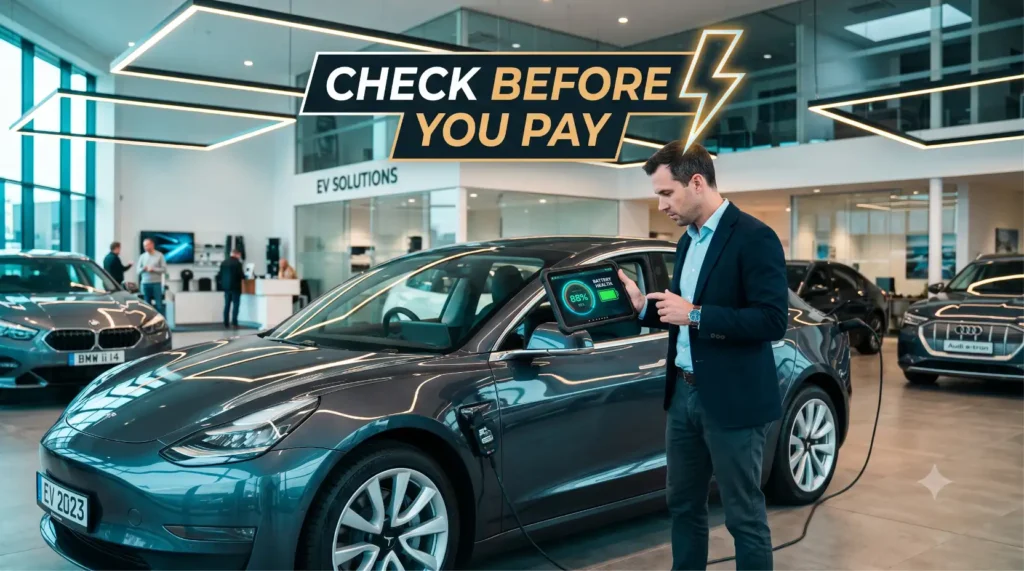
Buying a used EV is a little like dating someone who looks great in their profile photos but won’t show you their messages. 😅
The paint shines, the listing says “well looked after,” and the seller swears the battery is “basically new.” But under that glossy surface sits a battery pack worth half the car, a high-voltage system you can’t eyeball, and a history you can’t see from the driver’s seat. The only protection you have is a plan — a real, written-down routine you run every single time before money changes hands.
That’s what this is. A genuinely usable, print-it-and-bring-it used EV inspection checklist that walks you zone by zone, from the battery to the paperwork, so nothing slips past you in the excitement of a test drive. 👇
- ⚡ The Short Answer
- 📊 Inspection Zones at a Glance
- 🔋 Battery & State of Health
- 🔌 Charging Test (AC + DC)
- 🚗 Exterior & Underbody (Flood & Damage)
- 🪑 Interior & Electronics
- 🛱 Tyres, Brakes & Suspension
- 💻 Software, Recalls & Screens
- 🚦 The Test Drive
- 📋 Documents & Ownership
- 📈 2026: What to Add to Your Inspection
- ✅ 5 Tips for Inspection Day
- 🛒 Shop This Post
- 🎯 Quick Quiz
- 📋 The Full Printable Checklist
- 🤔 People Also Ask
- 🚀 The Bottom Line
⚡ The Short Answer
If you only skim one section, make it this one. A complete used EV inspection checklist covers seven zones:
- 🔋 Battery & state of health — the single most expensive part. Get a real SoH number, not a vibe.
- 🔌 Charging — test both slow AC and DC fast charging. A pack that won’t fast-charge is a deal-killer.
- 🚗 Exterior & underbody — hunt for flood damage, accident repairs, and high-voltage cable corrosion.
- 🪑 Interior & electronics — screens, climate, cameras, and every button that should light up.
- 🛱 Tyres, brakes & suspension — EVs eat tyres faster; brakes can seize from underuse.
- 💻 Software, recalls & screens — check for open recalls and pending updates.
- 📋 Documents & ownership — title, service history, warranty transfer, and charging records.
Print the full checklist near the bottom, bring a pen, and don’t skip the test drive. 🎯
📊 Inspection Zones at a Glance
Before we dive deep, here’s the whole inspection mapped onto one table. Screenshot it, then read the detailed sections below. 👇
| Zone | What You’re Really Checking | Key Checks | Red Flag |
|---|---|---|---|
| 🔋 Battery & drivetrain | The most valuable part | SoH %, range estimate, BMS codes, motor noise | SoH far below age, hidden BMS faults |
| 🔌 Charging (AC + DC) | Can it actually refuel? | Slow charge starts, DC fast charge ramps up | Won’t DC charge, error mid-session |
| 🚗 Exterior & underbody | Hidden damage & flood | Panel gaps, paint depth, rust, water lines | Mud/silt in crevices, mismatched panels |
| 🪑 Interior & electronics | Daily-use reliability | Screens, climate, cameras, all buttons | Dead pixels, no climate, error messages |
| 🛱 Tyres / brakes / suspension | Safety & wear costs | Tread depth, even wear, brake feel | Uneven wear, seized/rusty discs |
| 💻 Software / recalls | Up-to-date & legal | Open recalls, software version, locked features | Open safety recall, subscription gates |
| 📋 Paperwork | Legal & financial safety | Title, service log, warranty, history report | Missing title, “lost” service history |
See the pattern? The battery and charging zones decide whether to buy at all; the rest decides how much to pay. Now let’s work through each one. 🔍
💡 New to used EVs entirely? Pair this with our full Used EV Buying Guide: What to Check Before You Pay so the checklist slots into the bigger picture.
🔋 Battery & State of Health
This is the zone that matters more than every other zone combined. On an EV, the battery is the engine, the fuel tank, and roughly half the resale value all in one — so you inspect it first and hardest. 🔋
Start by getting a real state of health (SoH) number, not the seller’s guess. Many EVs show a degradation or battery-health figure in a service or settings menu, and you can pull a more honest reading with an OBD2 scanner and a model-specific app. A healthy used pack typically sits in the high 80s to mid 90s SoH for its age — anything dramatically lower deserves a hard conversation.
Next, compare the displayed range at full charge against the original rated range. If the car shows 70% of its original range but the seller claims “like new,” the numbers are telling a different story than the mouth. Ask to see it charged to 100% if at all possible, or at least note the percentage-to-range ratio.
Then listen and feel during a short drive: the drivetrain should be near-silent. Whining, grinding, or a shudder under acceleration can point to motor or reduction-gear wear. Don’t forget to scan for stored BMS fault codes — a dashboard with no warning light can still hide codes that were quietly cleared. 🚩
🔗 Want the deep version of this step? Read How to Check Battery Health on a Used EV — it’s the companion piece to this whole checklist.
Battery & SoH mini-checklist:
– [ ] Pull a real SoH % (menu + OBD2 scanner)
– [ ] Compare full-charge range to original rated range
– [ ] Listen for motor whine, grind, or shudder on the drive
– [ ] Scan for stored/cleared BMS fault codes
– [ ] Ask how often it was DC fast-charged (frequent = more wear)
🔌 Charging Test (AC + DC)
Here’s a step too many buyers skip because it’s slightly awkward to arrange — and it’s exactly the step that catches the most expensive surprises. A used EV that drives fine but won’t charge properly is a brick-in-waiting. 🔌
Test AC (slow/Level 2) charging first. Plug it into a home or destination charger and confirm it actually begins charging — you want to see the charge session start, the rate climb to a sensible kW figure, and no error on the screen or charger. A car that hesitates, throws faults, or only trickles can have onboard-charger trouble.
Then — and this is the one people dodge — test DC fast charging at a public rapid charger. This stresses the battery and charging system far more than a wall plug, and problems that hide at 7 kW show up fast at 50–150 kW. Watch the rate ramp up and hold; a pack that fast-charges weakly or errors out mid-session is waving a giant red flag. 🚩
While you’re there, inspect the charging port itself: look for melted, discoloured, or corroded pins, which hint at past overheating or water ingress. Confirm any included cables and adapters are present and undamaged, since replacements aren’t cheap — easily $200–$500 (₹15,000–₹40,000) for a quality unit.
Charging mini-checklist:
– [ ] Confirm AC charging starts and holds a steady rate
– [ ] Test DC fast charging — watch it ramp and hold
– [ ] Inspect the charge port for melted/corroded pins
– [ ] Check included cables and adapters are present and intact
– [ ] Note any error messages during either session
🚗 Exterior & Underbody (Flood & Damage)
Now we play detective. The body tells you two stories: how the car was driven, and — far more importantly on an EV — whether it’s ever met deep water. Flood damage and high-voltage systems are a terrifying combination. 🚗
Walk the whole car in good light and check panel gaps and paint. Inconsistent gaps, mismatched paint shades, or overspray on rubber seals suggest accident repair. A cheap paint-depth gauge (or even a fridge magnet that “skips” over filler) helps you spot bodywork the listing forgot to mention.
The flood check is non-negotiable on a used EV. Look for silt, mud, or a tide line in hidden crevices — under seats, in the spare-wheel well, inside the frunk, around seatbelt bases, and along wiring looms. A musty smell, foggy interior lights, or rust in odd places (like seat rails) are classic flood tells. Water and high-voltage packs do not forgive each other. ⚠️
Get low and look underbody. The battery pack sits down there exposed to road debris — check for deep scrapes, dents, or impact marks on the pack casing, and inspect the orange high-voltage cables for chafing or corrosion. Surface dirt is fine; gouged metal or a deformed pack guard is not.
Exterior & underbody mini-checklist:
– [ ] Check panel gaps, paint match, and overspray
– [ ] Hunt for silt/mud/tide lines (flood evidence)
– [ ] Sniff for musty smell and check for odd rust
– [ ] Inspect the battery pack casing for impact damage
– [ ] Check orange HV cables for chafing or corrosion
🪑 Interior & Electronics
EVs are rolling computers, so the cabin is less about cup holders and more about whether the tech actually works. A dead screen or dud climate system can cost a fortune to fix and is genuinely miserable to live with. 🪑
Start with the screens. Power everything on and look for dead pixels, flickering, unresponsive touch zones, or a laggy main display. On many EVs the central screen controls climate, charging, and drive settings, so a failing unit isn’t cosmetic — it’s central to using the car at all.
Run the climate system through its paces, both heating and cooling. EV heat pumps and resistive heaters can be expensive to repair, and a weak system also hammers your winter range. Confirm cold air gets cold fast and hot air gets hot — don’t accept “it just needs a minute.”
Then methodically press every button and toggle: windows, mirrors, seat adjustments and heating, wipers, lights, horn, infotainment, and all cameras and sensors. Reverse cameras, 360 views, and parking sensors are pricey to replace, so verify each one shows a clean, accurate picture. Test phone pairing and any connected-car app login too. 📱
Interior & electronics mini-checklist:
– [ ] Check all screens for dead pixels, lag, or flicker
– [ ] Test climate heating and cooling thoroughly
– [ ] Press every button, switch, and toggle
– [ ] Verify all cameras and parking sensors work
– [ ] Confirm phone pairing and connected-car app access
🛱 Tyres, Brakes & Suspension
People assume EVs need almost no maintenance, and the running gear quietly proves them wrong. Instant torque and heavy battery weight mean tyres wear fast, while regen braking means the actual brakes can rust from under-use. 🛱
Check tyre tread depth with a cheap gauge — not just eyeballing it. You want even wear across each tyre and matching depth side to side. Worn inner or outer edges hint at suspension or alignment issues, and EV tyres are often a wider, pricier spec, so a full set can run $600–$1,200 (₹40,000–₹90,000). Note the date code too; old rubber is unsafe even with tread left.
The brake check is EV-specific. Because regenerative braking does most of the slowing, the friction brakes can seize or grow surface rust on cars that mostly trundle around town. On the test drive, brake firmly a few times — listen for grinding, feel for pulsing through the pedal, and confirm the car pulls up straight without wandering.
For suspension, push down hard on each corner; the car should settle in one bounce, not keep wobbling. Listen for knocks or clunks over bumps during the drive, which point to worn bushes or struts. Remember, that heavy battery puts extra strain on suspension components over time.
Tyres / brakes / suspension mini-checklist:
– [ ] Measure tread depth with a gauge (even wear, both sides)
– [ ] Check tyre date codes and matching specs
– [ ] Brake firmly — listen for grinding, feel for pulsing
– [ ] Confirm the car stops straight without pulling
– [ ] Bounce-test each corner; listen for knocks on the drive
💻 Software, Recalls & Screens
This is the modern part of a used EV inspection checklist that simply didn’t exist a decade ago. An EV’s software state can affect its value, its features, and even its safety — so you treat it as seriously as the brakes. 💻
First, check for open recalls. Use the carmaker’s recall lookup or your region’s safety database (NHTSA in the US, the manufacturer or transport authority in India) with the VIN to see if any safety work is outstanding. An open recall isn’t necessarily a deal-breaker, but it is free leverage and something to get fixed before you rely on the car.
Next, look at the software version and update status. Confirm the car is up to date, and ask whether updates were ever blocked or refused. Some EVs gate features behind subscriptions or one-time unlocks — heated seats, extra range, advanced driver assistance — so verify exactly which features transfer to you and which need paying for again. 🔒
Finally, confirm the car cleanly transfers to a new owner account. On connected EVs, the previous owner must remove the car from their app/account, or you can inherit lockouts and stale data. Make this part of the handover, not an afterthought you discover later.
Software & recalls mini-checklist:
– [ ] Run a VIN recall check (region safety database)
– [ ] Confirm software is current; updates were never blocked
– [ ] List which features are subscription-gated
– [ ] Verify which paid features transfer to you
– [ ] Ensure the car is removed from the seller’s account
🚦 The Test Drive
Everything above is the static inspection; the test drive is where the car confesses under load. Insist on a proper drive — at least 15–20 minutes, ideally with some highway and some town. 🚦
Pay attention to the drivetrain feel. Acceleration should be smooth and quiet, with no whine, shudder, or clunk when you lift off or press on. Test the regenerative braking at different strengths and confirm it behaves predictably — jerky or inconsistent regen can flag control issues.
Watch the range and energy readout as you drive. Note how fast the percentage drops relative to distance; a battery that plummets faster than the rated efficiency suggests is quietly telling you about its real health. Try a quick burst of acceleration (safely) to confirm full power is available without warnings.
Listen for noises and feel for vibration — wind noise from poor repairs, suspension knocks over bumps, brake pulsing, or any steering wander. And keep one eye on the dash: warning lights that appear during the drive but were absent at idle are a classic catch.
Test drive mini-checklist:
– [ ] Drive 15–20 min, mixing town and highway
– [ ] Confirm smooth, quiet, full-power acceleration
– [ ] Test regen braking at multiple strengths
– [ ] Watch range/energy drop vs distance covered
– [ ] Note any new warning lights, noises, or vibration
📋 Documents & Ownership
You can pass every physical test and still get burned by paperwork. The documents zone protects you from legal and financial landmines that no test drive will ever reveal. 📋
Start with the title and ownership. Confirm the seller’s name matches the title/registration, there are no outstanding loans or liens against the car, and — critically — the title isn’t branded as salvage, flood, or rebuilt. In India, verify the RC, check for a hypothecation/loan endorsement, and confirm there are no pending challans or dues.
Demand the service history and warranty status. A complete service log tells you the car was cared for; “we lost the records” is a quiet warning. Check whether the original battery and vehicle warranty transfers to you, what’s left of it, and what conditions apply — battery warranties are the single most valuable safety net on a used EV. 🛡️
Finally, run a vehicle history report with the VIN to surface accidents, odometer rollback, prior write-offs, and ownership count. Cross-check the seller’s story against the report — and if anything contradicts, treat that as your answer.
Documents mini-checklist:
– [ ] Verify seller name matches title/RC
– [ ] Confirm no liens, loans, or hypothecation outstanding
– [ ] Check the title isn’t salvage/flood/rebuilt
– [ ] Get full service history and battery/vehicle warranty terms
– [ ] Run a VIN history report and cross-check the story
📈 2026: What to Add to Your Inspection
The basics never go out of style, but a 2026-ready used EV inspection checklist has a few new lines worth adding as the secondhand market matures. 📈
Battery-health certificates are becoming a thing. A handful of markets and platforms now offer standardized SoH reports, and some regions are moving toward “battery passports.” If a seller can provide a recent, credible battery-health certificate, that’s a genuine plus — but still verify it yourself rather than taking it on faith.
Software lock-ins matter more than ever. As carmakers pile features behind subscriptions and per-VIN unlocks, the gap between “the car can do X” and “the car will do X for you” keeps widening. In 2026, explicitly listing which features transfer — and which reset to paid — is no longer optional.
The used-EV pool is deeper, so comparison is your friend. With far more models on the secondhand market in both the US and India, you can afford to walk away from a questionable car. Use that leverage — and let your checklist, not your excitement, decide. 🚀
✅ 5 Tips for Inspection Day
A few hard-won pointers to make the day actually count. 💪
- 🌤️ Inspect in daylight, never in the rain. Good light reveals paint mismatches and damage that a dim driveway hides.
- 🔋 Ask for the car charged. A near-full battery lets you read true range and run a meaningful charging test.
- 📸 Photograph everything. SoH screens, codes, tyres, the title, charge-port pins — proof for negotiating and for later.
- 🧰 Bring your kit. Printed checklist, pen, OBD2 scanner, tyre tread gauge, torch, and a charged phone.
- 🚶 Be willing to walk away. The deepest deal in the world is no bargain if the battery’s sick. Let the checklist rule. 🎯
🛒 Shop This Post
Three tools turn this checklist from theory into a real inspection you can run yourself. 🛒
- 🔌 EV-Compatible OBD2 Scanner — plugs into the diagnostic port so you can read state of health, live data, and hidden fault codes the dashboard won’t show. The single best DIY upgrade to any inspection. (~$25–$70 / ₹2,000–₹5,500)
- 🛱 Tyre Tread Depth Gauge — a few dollars that catch uneven wear, alignment issues, and an expensive imminent tyre bill. Pocketable and idiot-proof. (~$8–$20 / ₹500–₹1,500)
- 🧾 Pre-Purchase Inspection Service — for high-value buys, paying a mobile EV-savvy mechanic for an independent once-over is cheap insurance against a five-figure mistake. (~$100–$250 / ₹3,000–₹15,000)
🔗 Affiliate disclosure: Some links above are affiliate links. If you buy through them, EVs Mirror may earn a small commission at no extra cost to you. We only suggest tools and services we’d genuinely use ourselves. 🙏
💡 Bonus tip: Budget for a home charger alongside your inspection kit — cheaper overnight charging pays for itself fast once the car’s yours. 🔌
🎯 Quick Quiz
Test yourself before you go car-hunting. 🧠
1. Which charging test catches the most hidden problems?
A) Just looking at the charge port
B) DC fast charging at a public rapid charger ✅
C) Reading the seller’s word for it
2. What’s the clearest sign of past flood damage on a used EV?
A) A clean dashboard
B) Silt, mud, or a tide line in hidden crevices ✅
C) New tyres
3. True or false: an open safety recall is always a deal-breaker.
False — it’s often free leverage; just get it fixed before relying on the car. ✅
(Answers: B, B, False) 🎉
📋 The Full Printable Checklist
Here’s everything in one place. Print it, screenshot it, and tick as you go. 👇
🔋 Battery & drivetrain
– [ ] Pull a real SoH % (menu + OBD2 scanner)
– [ ] Compare full-charge range to original rated range
– [ ] Listen for motor whine, grind, or shudder
– [ ] Scan for stored/cleared BMS fault codes
– [ ] Ask how often it was DC fast-charged
🔌 Charging
– [ ] Confirm AC charging starts and holds steady
– [ ] Test DC fast charging — watch it ramp and hold
– [ ] Inspect charge port for melted/corroded pins
– [ ] Check cables and adapters present and intact
🚗 Exterior & underbody
– [ ] Check panel gaps, paint match, overspray
– [ ] Hunt for silt/mud/tide lines (flood)
– [ ] Sniff for musty smell; check odd rust
– [ ] Inspect battery pack casing for impact damage
– [ ] Check orange HV cables for damage
🪑 Interior & electronics
– [ ] Check screens for dead pixels, lag, flicker
– [ ] Test climate heating and cooling
– [ ] Press every button, switch, toggle
– [ ] Verify all cameras and parking sensors
– [ ] Confirm phone pairing / app access
🛱 Tyres, brakes & suspension
– [ ] Measure tread depth (even wear, both sides)
– [ ] Check date codes and matching specs
– [ ] Brake firmly — listen and feel
– [ ] Confirm it stops straight
– [ ] Bounce-test each corner
💻 Software & recalls
– [ ] Run a VIN recall check
– [ ] Confirm software current; never blocked
– [ ] List subscription-gated features
– [ ] Verify which paid features transfer
– [ ] Remove car from seller’s account
🚦 Test drive
– [ ] Drive 15–20 min, town + highway
– [ ] Confirm smooth, quiet, full-power acceleration
– [ ] Test regen at multiple strengths
– [ ] Watch range drop vs distance
– [ ] Note new warning lights or noises
📋 Documents & ownership
– [ ] Seller name matches title/RC
– [ ] No liens, loans, or hypothecation
– [ ] Title not salvage/flood/rebuilt
– [ ] Full service history + warranty terms
– [ ] VIN history report cross-checks ⚡
🤔 People Also Ask
Q: What should a complete used EV inspection checklist include?
A: A complete used EV inspection checklist covers seven zones: battery and state of health, AC and DC charging, exterior and underbody (flood/damage), interior and electronics, tyres/brakes/suspension, software and recalls, and documents/ownership. Run all seven before you pay — the battery and charging zones decide whether to buy, the rest decides how much.
Q: How do I inspect a used EV battery myself?
A: Pull a real SoH percentage from the car’s service menu and confirm it with an OBD2 scanner and a model-specific app. Compare displayed full-charge range to the original rated range, listen for drivetrain noise on a drive, and scan for hidden BMS fault codes. A healthy used pack usually sits in the high 80s to mid 90s SoH for its age.
Q: Do I really need to DC fast-charge test a used EV?
A: Yes. AC charging only stresses the system lightly; a proper DC fast-charge test at a public rapid charger pushes the battery and charging hardware hard, exposing faults that stay hidden at home. A car that fast-charges weakly or errors mid-session is a serious red flag worth walking away from.
Q: How can I tell if a used EV has flood damage?
A: Look for silt, mud, or a tide line in hidden crevices — under seats, in the frunk, the spare-wheel well, and along wiring. A musty smell, foggy interior lights, and rust in odd places like seat rails are classic tells. Water and high-voltage packs are a dangerous mix, so treat any flood evidence as a hard stop.
Q: What documents should I check when buying a used EV?
A: Verify the title/RC matches the seller, confirm no liens or hypothecation, and check the title isn’t branded salvage or flood. Get the full service history, confirm what’s left of the battery and vehicle warranty and whether it transfers, and run a VIN history report to catch accidents and odometer issues.
Q: Should I pay for a professional pre-purchase inspection?
A: For an expensive EV, yes — a one-time independent inspection by an EV-savvy mechanic typically costs $100–$250 (₹3,000–₹15,000), which is cheap insurance against a five-figure battery or repair surprise. For cheaper cars, a careful DIY run-through with this checklist and an OBD2 scanner is often enough.
🚀 The Bottom Line
A used EV can be one of the smartest buys on the road — if you go in with eyes open instead of fingers crossed. The difference between a bargain and a regret almost always comes down to whether you ran a real, written-down inspection or just trusted a friendly seller. ⚡
So make this used EV inspection checklist your buying ritual: read the battery’s true state of health, test both AC and DC charging, hunt for flood and damage, work every screen and button, measure the tyres, check recalls and software, take a proper test drive, and verify every document. Print it, bring it, tick the boxes, and let the empty checkboxes — not your excitement — decide. Do that, and you’ll drive away with numbers on your side. 🔋
💬 Inspected a used EV recently? Drop the model and what your checklist caught in the comments to help other buyers!
📤 Know someone EV-shopping? Send them this before they pay. 🙏
🔖 Bookmark EVs Mirror for honest, no-nonsense used-EV advice.
👉 Keep going: the full Used EV Buying Guide: What to Check Before You Pay and How to Check Battery Health on a Used EV.